YouTube Transcript Generator

Paste any YouTube video link and get the full transcript in seconds. Perfect for students, researchers, and anyone who wants to read video content.

Get Any Video's Transcript

Paste any YouTube video link and get the full transcript instantly. Works with most videos that have captions.

Works in Multiple Languages

We try to get transcripts in your language first. You can switch between all available languages. If there's only one language available, we'll show that one.

Copy and Use

Copy the transcript text to use in your notes, research, or anywhere else you need it. Perfect for studying or reference.

Clean, Readable Format

Get transcripts in a clean, easy-to-read format that's perfect for studying, research, or just reading along with the video.

100% Free

No signup needed, no hidden costs, and no limits on how many videos you can process. Just paste a YouTube link and get your transcript.

Perfect for Research

Great for students, researchers, journalists, or anyone who needs to quickly get the text content from YouTube videos for their work.

How It Works

  1. 1

    Paste Your YouTube Link

    Just copy any YouTube video URL and paste it above. We'll grab the transcript for you. If the video doesn't have captions, we'll let you know.

  2. 2

    Get Your Transcript

    The transcript appears in a clean, readable format below the video. You can read it, search through it, or copy any part you need.

  3. 3

    Copy and Use

    Select and copy any part of the transcript you need. Use it in your notes, research, or anywhere else. If the video has captions in other languages, you can switch between them too.

  4. 4

    Save Your Work

    Download your highlights as PDF or copy them as Markdown for any other app. One-click export to Notion and Capacities is part of the Ultimate plan.

Frequently Asked Questions

How does this work?
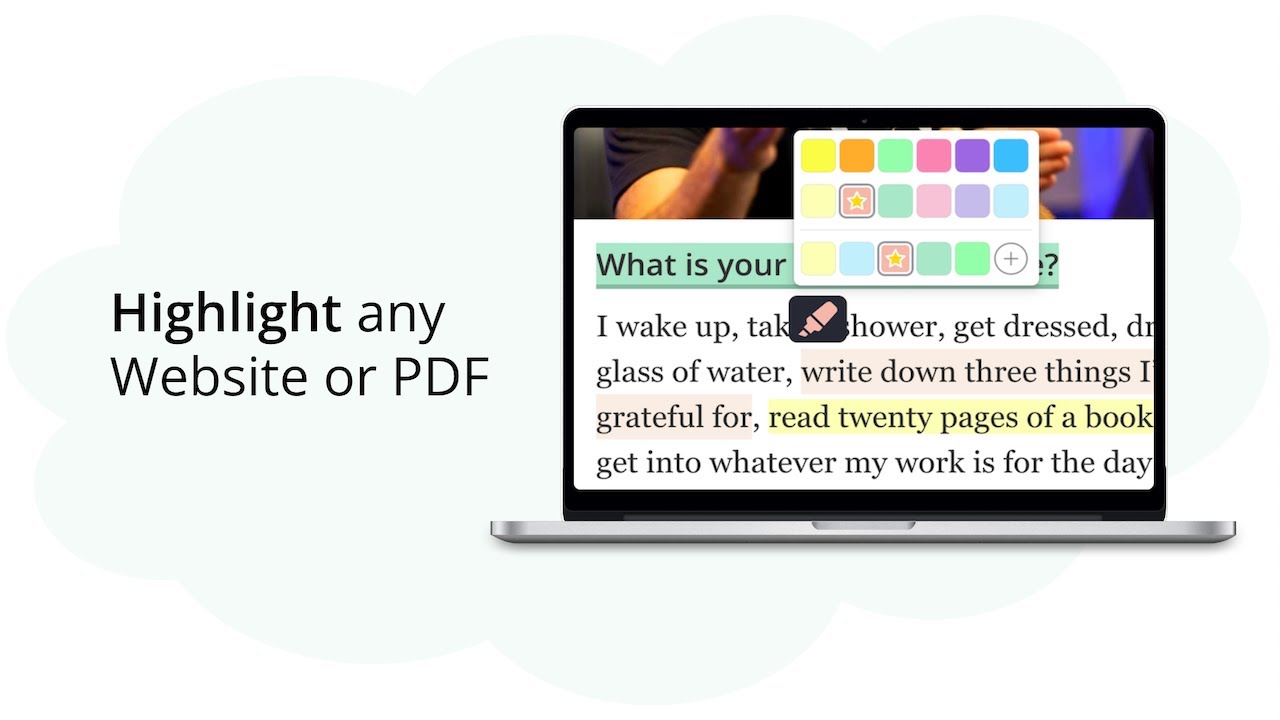
We grab the captions from any YouTube video and turn them into text you can highlight and add notes to. Just paste the video link and we'll do the rest.
Does this work with any YouTube video?
Yep! As long as the video has captions, it'll work. Whether it's a lecture, tutorial, or just a regular video, you can turn it into study notes.
What can I do with my highlights?
Save them as PDF to print or copy them as Markdown for other apps — both include your highlights, your notes and the original video link. One-click export to Notion and Capacities is part of the Ultimate plan.
Will my highlights be saved?
Yes. Your highlights are saved in your browser until you clear your data. Create a free account to keep them for good — syncing them across devices is free for your first 7 days and part of the paid plans after that.
Can I add my own notes?
Of course! You can add personal notes, create tags, and use different highlight colors. Perfect for turning any educational video into a proper study guide.
Is this free?
Yes! No signup needed, no hidden costs, and no limits on how many videos you can process. Just paste a YouTube link and start highlighting.
What if a YouTube video doesn't have transcripts available?
Not every YouTube video has captions. If one doesn't, we tell you right away instead of leaving you waiting — try another video, or ask the creator to turn captions on.
How accurate are the transcripts?
The transcripts come straight from YouTube's own captions, so they are usually accurate. The quality depends on how clear the audio is and on whether the captions were written by a person or generated automatically.
Can I switch between different transcript languages?
We try your language first. If the video only has captions in its original language, we show that one. Where several are available, the language selector switches between them.
How does the transcript-video synchronization work?
When you play the video, the transcript scrolls along automatically and highlights the sentence being spoken, so you can follow along while taking notes.
Can I customize the transcript reader view?
Yes. You can change the font size, the background color, the text width and the line spacing, so long reading sessions stay comfortable.
Can I share my YouTube video study notes with others?
Export them as a PDF or HTML file and share it, or copy them as Markdown. One-click export to Notion and Capacities is part of the Ultimate plan.